





Your files, within reach.
A home for everyday files and things you will sort later.
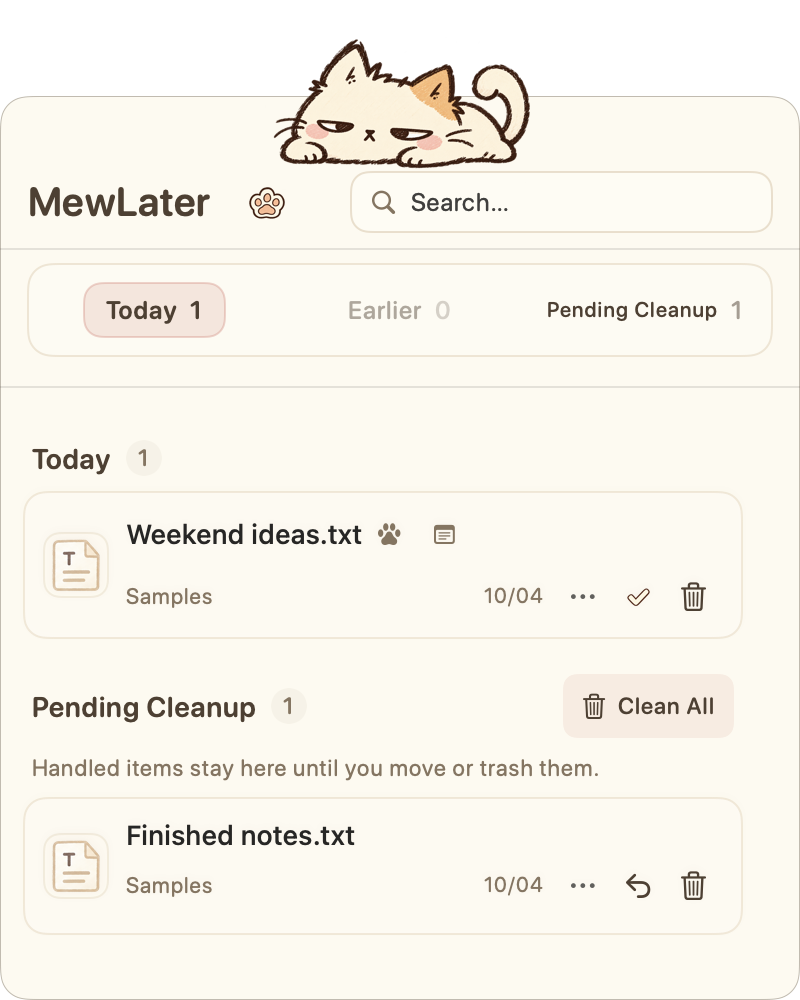

Open when you need it
Search to find a file, double-click to open, or hover and press Space to preview.

Drag out a copy
Drag the file icon to another app or folder to export a copy.

Sort at your own pace
Pin files you use often. When finished, mark them handled; they stay in Pending Cleanup.
A little more help from your cat.

Collect your desktop
Authorize once, then collect desktop files whenever you choose.

Auto-Import
Create a dedicated folder. Files inside are collected while MewLater is running.

Stay close
Dock to the screen edge. Hover over the cat whenever you need a file.
Find these options in the paw menu. Collected files move into the local Inbox.
A few small questions.
Can I keep everyday files here?
Yes. Pin them to keep them close, then open them or drag out a copy whenever you need one. You choose when to sort.
Does collecting move the original file?
Collected files move into your local Inbox. The original location does not keep a copy; you can restore them later.
Does Finish delete a file?
No. The file stays in Pending Cleanup until you archive it or move it to Trash.
Where does Clean All send files?
After confirmation, pending files go to the macOS Trash. You can recover them before emptying Trash.
Do I need an account?
No account is needed. Your Inbox stays on your Mac.
Can the website touch my files?
No. This website only uses virtual example files.